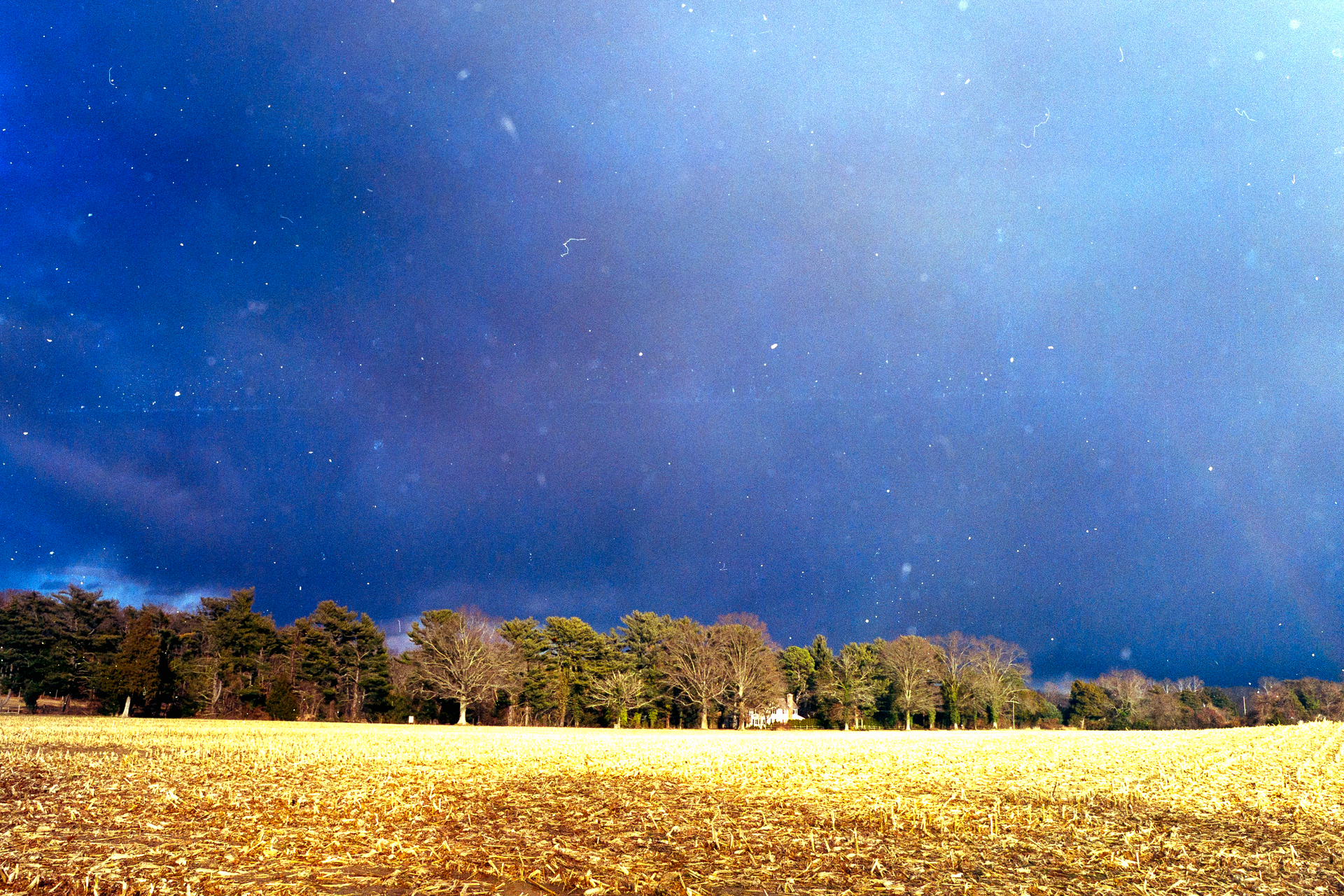
Thanks for the vote of confidence Digitizer, but I’m less sure because of the “unknowns”, at least to me. Needless to say, I’ve had many such situations where the initial result needs changes, so as you’ve done, first step is to identify the most important problems, second step being to work out the optimal strategy for addressing them.
I understand your thinking behind the various cropping options, but I normally only crop for the composition and subject matter I want, and use other means for other issues.
You mentioned making a positive copy (I assume by that you mean a TIF or some such) and working on that. Yes of course, and it makes subsequent adjustments quite easy because, as you say, LR and PS would operate in their usual ways on such a file. But at the cost of a file at least 3x the size of the original raw file. Many people don’t care about that, but I do, so I tend to exhaust the possibilities offered by the raw file before going the TIF route, and more often than not it works.
So, you identified two key problems with this image: (i) the sky is too saturated (and I’d suggest probably wrong hue, but I don’t know), and (ii) the field is too bright. Because these are such very different issues, they require different solutions, so it seems to me a textbook case for preferring local over global editing right from the outset. This is contrary to the usual advice of making all the global edits first, and then cleaning up residual local problems with targeted adjustments to local areas. In general, ever since LR’s masking capabilities became so dramatically better than they were just a few short years ago, the technology now presents us with this idea of making an initial decision whether to begin the editing process with local adjustments, or begin with global. So “local versus global” has been the initial dialog I have with myself when approaching many of my photos. And this decision has a clear implication for the choice of software to emphasize - on an image by image basis, because NLP is limited relative to LR when it comes to local editing. It lacks the masking etc and does not work within LR’s masks. That’s the “generality” of my strategy as I approach editing. (Message to Nate, BTW - if there were some way you could negotiate with Adobe to get NLP working within LR masks, that would be “nirvana”!)
Turning to the specifics of your photo here, I would opt for local from the outset, and in LR make a sky mask, then do a “duplicate and invert” which would preserve the sky mask and make another one for the remainder of the photo, which is the field. Now, once you are working within LR masks, of course because all these adjustments work back to the original negative image, the adjustments operate in reverse. [That is the one nuisance we just need to become comfortable with, because AFAIK Nate can’t do anything about that, technically, given the limitations of Adobe’s SDK.] But it isn’t hard to master. White is Black, Black is White, Yellow is Blue, Blue is Yellow, Magenta is Green and Green is Magenta - that’s it.
Sky mask: I would reduce saturation just a bit as the first step. Unfortunately, it also alters colour, so do this before adjusting hues. Then use the Temp and Tint sliders within the mask panel (in reverse) to produce the hue of sky blue your mind’s eye tells you is correct. Then go to the other mask and adjust the brightness and contrast of the field using LR’s tone tools within the mask panel. You may find this is all you need. However, having made those adjustments, if you then see merit to a global adjustment, I would revert to NLP and make those there, not using any of its presets, but just the individual brightness, contrast and colour balance sliders provided therein.
Thinking of NLP presets, perhaps I should have mentioned at the outset, for this negative I may have started the whole menu of stuff I’ve suggested above, with a judicious selection of the Tone Profile at the top of the Edit panel. For a highly contrasted, fairly dense image like this, selecting the Linear profile may get it all off to an easier start. Of all those various presets available in NLP, I find several of those Tone profiles to be the most useful.