Yes, and so adapters from T-mount to 39x1 ‘Leica’ are pretty freely available if you go down the Apo route some time. That 135mm Componon-S might be a nice surprise though.
That is a welcomed benefit!
Hi folks!
At first I made a separate post about this, but I’ve just realised there’s actually a dedicated thread, so I’ll post it here.
Please feel free to give me your feedback on any areas of the setup that could be improved. Criticism would be much appreciated!!
Over the last few years, I’ve prioritised a setup that focuses on smooth scanning speed and mechanical reliability, while working with constraints on available workspace.
So, last year I was lucky enough to get a very recent version of the Durst Colorcopy 350, which is originally a slide enlarger.

It is quite simply a Durst 605 enlarger head, inverted and fitted into a base that includes a ventilation system. This allows the light to be left on for long periods without the risk of it breaking (I used to use an enlarger head as a light source and had to use a timer to prevent overheating).
There are quite a few practical features: adjustment knobs for the bellows and height (the stand is the same as that of a 605 enlarger, incidentally), an ND filter that allows you to position the negative without straining your eyes, and adjustment of the CMY filters. The lens is mounted via a T2 ring in the stand, which is handy (particularly for rotating when switching from 35mm to 120). It’s the 75mm Apo Rodagon-D 2X.
Finally, the negative holder is interchangeable within a fixed base (which fits onto the base so it can be centred in the camera’s viewfinder), and supports several formats: 35mm, 120, 645, 66 and 67. I even have an extension kit that allows me to use the 4×5 format. Practical!
My camera is a Canon 2000D with an APS-C sensor. It’s not the best, but it’s actually the only digital camera I’ve ever owned.
I also have Vlad’s Test shots on 35mm and 120 film, to make sure the focus is consistent when I set up the stand (I take everything down every time because I store it in a closet)
I scan the 35mm film in one go, at f/5.6, and I scan the 120 (mainly 66) in two stages (half the negative at a time, in landscape orientation), before stitching the images (f/8).
Of course, I do the conversion using NLP in Lightroom.
I’m starting to look into digitisation via RGB channels (I’ve got the technical basics to understand what’s going on, but I must admit I’ve only just got started so I’m still a bit lost). I was wondering if it’s possible to use CMY filters in combination to achieve an RGB light (CM->B, MY->R, YC->G)? Will the light be of good quality? (How can I be sure of this – just by checking the spectrum on my DSLR?)
Thank you in advance!
Pierre (from france!)
1 Like
Hi Pierre, thanks for posting your setup here. It looks to me like a great setup, that Durst Colorcopy is quite an unusual bit of kit, I’d never seen one. Your camera could I suppose be regarded as having basic features for everyday photography (and nothing wrong with that) but all that matters here is that it is a 24MP APS-C sensor with 14-bit RAWs.
I use that lens on my 24MP Fuji X-T2, it’s perfectly matched for copying 35mm on to APS-C (0.67x magnification or 1:1.5) and gives excellent results as you know. I also have a Durst M605 so I’m very familiar with that colour head also. The Colorcopy looks quick & easy to get out of the cupboard and setup.
Since you are using Vlad’s Test Target I expect that you have checked the column for alignment with a mirror. Since it was designed as a film copier it wouldn’t necessarily be built to the tolerances that we like to have for digital pixel-peeping but it would I imagine be easy to adjust with shims just as my M605 is. I can of course use my M605 in this way with the Siriocam copy arm but as you say then there is the heat issue.
I also wonder if the fan could possibly introduce some slight vibration that could take the edge of the definition but you’d see that on Vlad’s Test Target. Ideally you should get Group 0 Element 2 around all the targets, but only just. Also I guess you need to use it in a darkened room, or possibly you can put a tube/can tunnel over the negative stage.
I haven’t experimented with my M605 head but in theory you could quite easily neutralise the orange base of colour negative by dialling in the correct filtration. Others have tried this on this forum but I don’t think the results have been conclusive. Also there is some evidence that you can get better definition by using green light for copying black & white since there are more green receptors on the sensor, not tried it myself though and may not show at 24MP anyway. As far as trying to emulate R,G & B illumination that might be better asked in a separate post.
As a 24MP mirrorless user I do think that a mirrorless camera would be much easier with its focus peaking and general WYSIWYG design. Something like a Sony A6300 would make a relatively inexpensive mirrorless film copying body with that excellent 75mm f4.5 Apo-Rodagon 2x lens (the A6000 is cheaper but 12-bit instead of 14-bit which could I suppose make a difference), or a Fuji X-Trans like mine, Fuji even made 24MP Bayer sensor cameras like the X-A5 & X-A7.
1 Like
@pierre I have Beseler device very similar to yours and I did have the same idea of using it as RGB by combining two channels together. I even have spectrophotometer Seikonik spectromaster which I bought specifically for that project. Unfortunately I shelved my duplicator without doing much as the vibration from fan was giving me doubts about overall stability. I remember that color measurement with the dichroic filters engaged gave me very strange looking spectra , but I did not have chance to explore that deeper. Overall I think those duplicators are too crude devices for RGB work, every time you need to rotate those dials to get to another color - I think it’s too much trouble. What I think is totally doable though is to try to use dichroic head to compensate orange mask. For that you need spectrophotometer and some are available for around $400 from China. I would take the film leader load it and place spectrophotometer on top of film gate and rotate dials until the spectra you see on device is roughly resembling sun light - or at least have r g b intensities approximately equal if spectrophotometer is set to measure light at 5500K. Once you are in vicinity of that , which I guess would be something like 150C150M00Y you may start “scanning" negatives knowing that orange mask no longer suppresses blue part of your light spectra. Of course having halogen lamp short on blue and long on red does not help, but that’s our life - you just rotate dials as far as you can  Same is true for slides - though compensation needed is much more modest. 80C60M00Y may be enough. Before investing much effort in that whole thing make sure you have enough of spare bulbs - because those halogen bulbs have lifespan of about 30-50 hours at best . The bottom line is that you probably can make a decent correction, but I would use real spectrophotometer even the cheapest one like “color monkey photo” - as the histogram camera shows is derived from jpeg converted image so it’s very far off from what you want. I had good experience with Philips PCS 130 true RGB color head as source of light and I think I posted something about that.
Hope my Test Target helps you with you work. Please spread the word .
Use UniWB to see a histogram that closely relates to what the sensor picks up.
An easy method to get a UniWB setting is to greatly overexpose and then take a custom WB reading from the overexposed capture. Some cameras don’t allow to WB from a blown area. In this case, search the web for other sources of information and how-tos.
Note that UniWB does not compensate the orange mask, but it helps to set your lights so that no channel is blown, something that can happen easily with RGB (or CMY) lighting.
Caveat: on-sensor PFAF can derail the “blown image UniWB” procedure. E.g. the Canon R7 tended to too much blue. Overexposing to just above saturation fixed this, so go gently and test the limits. Check WB multipliers (e.g. with exiftool), they should be the same give or take 1%.
1 Like
I’ve finished digitizing my, and my family’s, photos going back to the 1920s – around 15,000 images. Did it first twenty years ago as JPGs with a Sony A65, now again with an A7 IV w/90mm macro and RAW. Before I dismantle and dispose of my setup I thought I’d share some ideas though I confess I haven’t read all the posts in this thread so perhaps these ideas have already been addressed. To be clear, my goal was efficiency and high quality imaging, but not to film grain level resolution as some here strive for.
I started this process back sometime before 2010 and had to build the system DIY – the nifty new gadgets available now weren’t available then – and have added and modified along the way.
Starting point was a 1950s Honeywell Repronar, still available on ebay for under $100 delivered. Tore out the old flash system and replaced it with a bed of 6500K CRI 95+ LED strips, and the old film camera and bellows with a modern camera mount but kept the rack-and-pinion focusing system which is truly rock-solid.
For processing efficiency, I chose to use a film-era Beseler Negatrans so I could move film strips quickly. I got tired of cleaning the negative strips by hand, so designed an “air knife” system which blows on both sides of the negative just before it enters the Negatrans. The blower is a small cpap motor which efficiently generates far more pressure than a conventional fan – ideal to forcefully push accelerated air through narrow slits (the “air knife”). New motors and the small 3-phase speed controller are available on ebay and the knife easily attaches to the Negatrans with magnets. A two-way switch runs it at low speed when not in use and full on as needed.
To enable optimal daytime digitizing, I use an aluminum tube lined internally with adhesive-backed black felt to completely encase the lens-to-negative space with light-absorbing material.
To improve previewing comfort and accuracy, I adapted an old Microsoft Surface tablet to my camera’s “live view” and inverted the colors in Windows settings so that my negatives display as large positives on the tablet screen – a major improvement!
One last note: I use bar magnets from Amazon glued to the Negatrans to attach it to the Repronar stage – push it around hard freestyle to set in position and then it stays put but can be removed with effort by sliding it sideways. Also, as noted above, magnets made attaching the air knife to the negative carrier really simple. Magnets solve a lot of problems!
Here are some pictures:


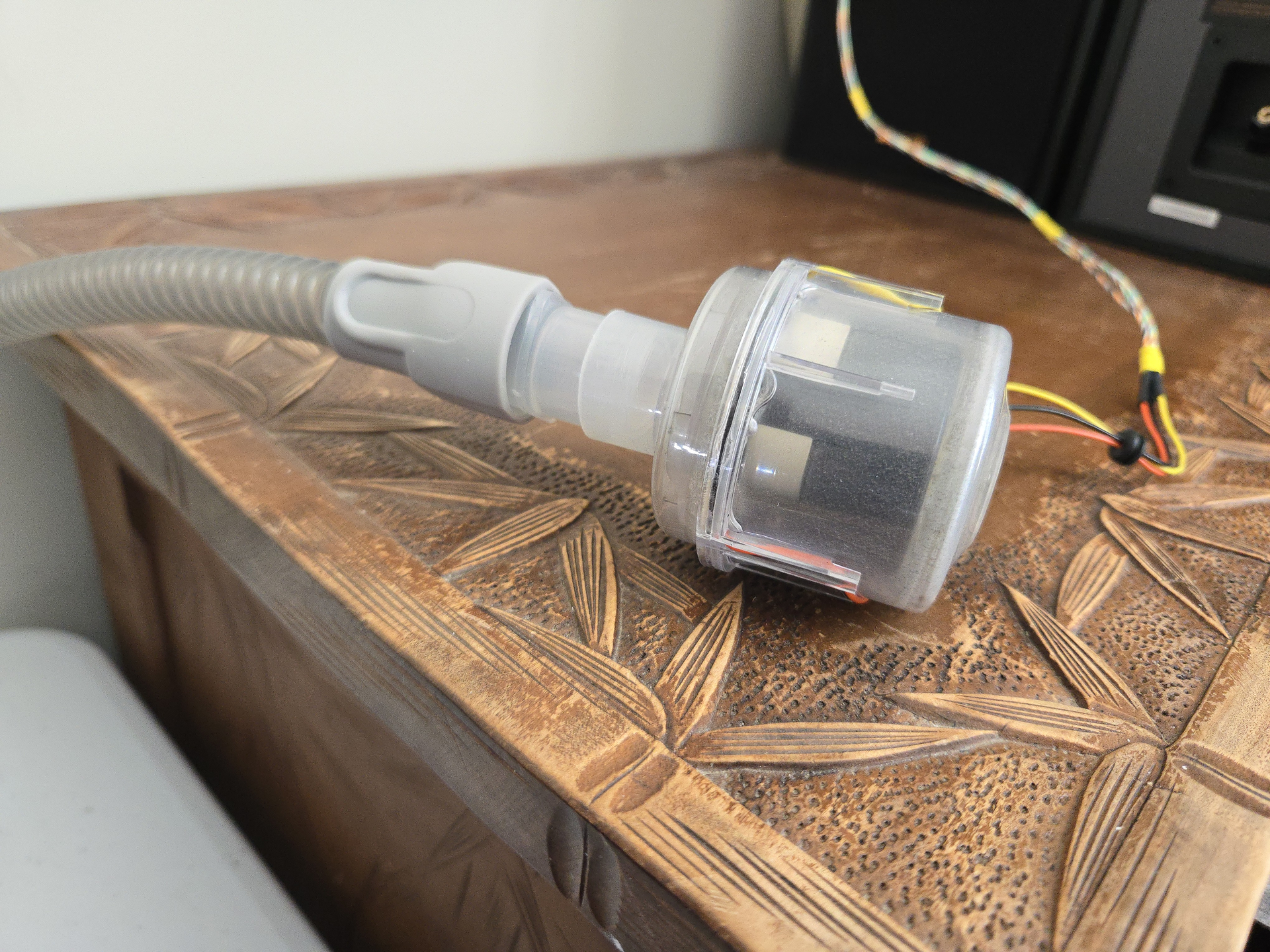


4 Likes
Very cool! (pun intended ) Do you turn off blower when you are actually taking a shot?
I do not. The Repronar stand is very heavy and solid and the propelling fan is separated from the Repronar by the cpap hose and the vibration does not affect the negative. The only possible impact would be the air blowing on the negative but that is separated from the imaging area by maybe 4 inches and over that distance the negative is in contact with solid metal on both edges all the way.
1 Like
Okay, I am finally posting some pics and descriptions of my updated v3 scanning setup. Based on comments/input from a couple of forum members (@Digitizer and @Harry) I have made vast improvements to the overall stability, repeatability and (most importantly) resolving power of my setup. Those who are curious can find the post showing my previous v2 setup in the comments above dated Feb 18.
To recap, I am using a GFX 100s on a home-made copy stand. I have substantially upgraded the entire height adjustment slider system and switched from an adapted Mamiya 120mm macro lens to a very robust Pentax 67 Auto-Bellows system and Schneider-KREUZNACH Makro-Symmar industrial line-scan lenses.
I was previously using a Negative Supply 4x5 Light Source Basic MK2 and several of their negative carriers for 35mm, 120mm and 4"x5". However, I was dissatisfied with overall light output and panel uniformity of that light source and so I have replaced it with a home-brew setup utilizing a Godox P260C Pro bi-color LED panel housed in a hand-made oak frame with knurled thumbscrew leveling feet. As this LED panel is edge-lit, and I am only using the central 4"x5" section of the (rather large) panel, the uniformity is perfect and I am now getting exposure times of ~1/250 sec. @f/8. This is a vast improvement over the ~1/20 sec. I was previously getting from the Negative Supply panel. I added a glass top-sheet (salvaged from my epson flat-bed scanner) to allow fluid mounting negatives directly to the light box as I have found that the Negative Supply negative carriers don’t always keep my negatives as perfectly flat as I would like.
Additionally, I am utilizing a Tilta wireless follow-focus system to allow very fine control of the bellows height without having to physically touch the adjustment knob when making fine focus adjustments. This setup works remarkably well, and I am totally amazed at the resolution I am now capturing with the GFX 100s in combination with the Makro-Symmar lenses.
It has taken quite some patience to source all the parts and lenses without breaking the bank. The copy stand build was under $400 all in for parts (including the Pentax bellows system which was ~$180 or so on eBay). The lenses were the most expensive, difficult and time consuming part of the equation because, although commonly available from China on eBay, many of the sellers are questionable, and the prices are mostly unreasonable. But with due diligence and patience, I was eventually able to source 3 clean lenses from a trustworthy seller for around $350 each shipped from China.
Anyway, enough talking, here’s some pics.


3 Likes
You have made yourself a fantastic system there, thank you for the mention but I think you’d already made all the important decisions yourself. Those lenses, wow, what a selection. The bellows are terrific for a GFX clearly, the motorized focusing, the lighting, everything is top notch. I can’t see how you could improve it really, well done.
I’m not sure if I should be jumping in here, but felt I should apologise for my long absence especially to ArnoG as he has been so helpful both to me and others.
My experience with the Minolta Dimage 5400 scanner lens has been frustrating, resulting in my coming up with a new scanning rig. With some inspiration from ArnoG, I have almost finished building a custom rig which is flexible, stable, vibration-proof, portable, light-tight and accurate. It will handle a variety of lenses and sensor sizes and has a choice of 2 light sources. I will post photos as soon as it’s in its final iteration.
Regarding the 5400 lens, it has turned out to be a mixed blessing. On full frame (FX), I struggled for quite some time with images which were tack-sharp in the centre but horrible at the edges. I thought the problem was flare or misalignment or a bad example of the lens, but after reading Enrico Savazzi’s comments, I realised that field curvature was the culprit. What was not obvious from Robert O’Toole’s testing (although to be fair, he did describe his process fully) is that he was shooting a stack and cherry-picking the best frames for the centre and each corner. No wonder the lens tested so well. On APSC, the distortion falls outside the image circle, but on full frame, it’s revealed in all its glory. So much for what is supposed to be a flat field optic!
I got some advice from Robert O’Toole just before he passed, and he pointed out that the 5400’s native magnification was 1.83X in the scanner, and its performance was excellent at 1.5X and higher, and as 1.83X is 0.91X backwards, it should work fine backwards at 0.9X. And indeed it did.
I’m currently using it reversed at 1:1 with excellent results on DX (I use the DX crop on a Nikon Z7).
I’ve also been playing with a Nikon 55mm F2.8 AIS lens on the rig, as well as my Nikon 105mm F2.8 VR S. The latest Nikkor 105mm is, of course, superb, but I was amazed at how well the venerable 55mm micro held its ground and explains why Nikon have kept it in production to the present day. For anyone on a budget, this is a no-brainer.
The 55 was discontinued in 2020, unfortunately. I have an old, stiff 80s version, and it holds its own impressively well against my 75mm Apo-Rodagon 1x. I have started shooting medium format again, and have been using the 55 for that, since the size is out of the ideal range of my Rodagon.
Would love to hear more about your portable rig!
Well, you’re right, so thanks for the correction. It has indeed finally been discontinued, and what has been sold since then was new old stock (NOS). It’s the end of the line for Nikon’s manual focus lenses.
I’m lucky to have a pristine example, but if film scanning is its only purpose, then having a stiff focusing ring isn’t very important.
As for the rig, I’m trying to get the photos finished!
I remember you speaking very highly of your Minolta 5400 lens but I’m confused now. I appreciate that you were helped directly by the late Robert O’Toole but surely in this comparison at 2x he was using crops from the same frame, not selectively picking the best from his stack of focus-shifted images?
Surely it must have behaved as a flat-field lens at its optimum magnification inside the scanner? It was in effect enlarging the 24mm width of a 35mm frame to the 44mm width of the masked linear sensor to give that 1.83x magnification. That scanner has/had a great reputation for its resolution at 5400 ppi.*
Perhaps when the lens is reversed it doesn’t have the image circle to perform well when covering an APS-C sensor with its 28.2mm diagonal?
Edit: I see that Mr. Savazzi referred to field curvature when using a 42MP Sony Full Frame at 2x and that sensor also has (near enough) a 44mm diagonal. Not sure why film curvature shows up for him there but doesn’t manifest itself in the scanner. I see that he makes its native resolution to be 1.78x in the scanner (so 0.56x reversed) as it captures slightly more width than the 24mm frame.
*Also it seems that filmscanner.info gives the effective resolution as 4200 ppi, in pixels that relates to around 23MP for the 35mm frame. Maybe the extra resolution of the Sony sensor shows up some field curvature at the corners.
I know this is a very old post. As now it’s 2026, but if you’re still around, what is the micro focusing platform you are using to hold the camera? Newbie to DSLR film scanning and I like your rig.
Not the poster you replied to, but I have one of these. They are called 4 way macro focussing rails and are available from different brands


Here is my current rig. Fuji GFX 100s, Pentax 645A 120mm f4 Macro, Valoi copy stand, Novoflex macro rail, JackW01’s big scanlight, Valoi 360 advancer, negative supply hood.


Finally had the chance to calibrate it with Vlad’s test target. First image is at 300%, the second is at 100%. I’m trying to choose between two aperture settings. Left looks a bit crisper to me but with a bit of purple fringing. Right has no purple but maybe a bit of diffraction has set in? Looks like I’m getting somewhere in the 70’s for resolution. Over all pretty happy with this first calibration test. Thanks @VladS
1 Like
@yovvoy happy my targets are handy. Let me offer a small note. While deciding which aperture is the best, don’t forget to look at the frame edges. All those usaf 1951 and Seimens stars are there to help you get a balanced view across the frame. I think you assess and compare the scans taking into account both center and edges. That way you will have a better scans overall rather than chase a minute differences in the center. Also edges suffer from lens aberrations more prominently, so it’s in your interests to have image more or less uniform in quality - even if that means some negligible losses in the center. You are correct comparing shots at 200% or higher magnification -at 100% your app like Lightroom may perform implicit sharpening - at higher magnification you may start seeing that what you thought were resolved pairs were actually not. Also you may try to asses if 1/60 is fast enough to eliminate any vibration in the system . You may go for higher iso to make sure that your shots will not benefit from shorter exposures - just for your own piece of mind. Good luck with your project!
Vlad
Always good to see the result from Vlad’s Test Target, is it the 35mm target? If so are you using the full 44mm width of your GFX sensor to copy your 35mm frame? That would be a magnification of 1.2x so difficult territory for anything other than specialist lenses optimised for that magnification. Perhaps you are using the 36 x 24 mm option to get 61MP at 1:1.