If you follow the online film photography community, it seems to me there is a shift that is occurring where there is more interest in RGB scanning and the beginnings of commercial RGB light sources.
With the recent release of the Cinestill CS-Lite+ SpectraCOLOR, an RGB light source and mechanical film carrier from the creator of the Tone Carrier in development, and recent release of the RGB Scanlight from Jack Whittaker, it seems to me this is becoming a more mainstream workflow.
I’ve taken an interest, and while shooting individual RGB frames and combining in Photoshop isn’t a workflow I’m particularly interested in, I do like the idea of using a combined narrowband light source, just as I would a white light source, even if it is technically less ideal.
With that in mind, I recently aquired Jack Whittaker’s “Big Scanlight”, which you can read about here:
Along with his write up on narrowband RGB light sources in general:
Jack is a proponent of doing manual negative inversions via tone curve, which is certainly doable, but in my preliminary scans, I’ve found I’m getting what I consider very good results using the same workflow I would with a white light source and using Negative Lab Pro. Compared to some of my older white light source scans, I do find the colors are more vivid, which I’m sure could be achieved with some post production and a white light source.
Anyway, I’m curious if there are any unintended consequences of using NLP with a combined narrowband RGB light source, or ways to optimize it for this type of scanning workflow.
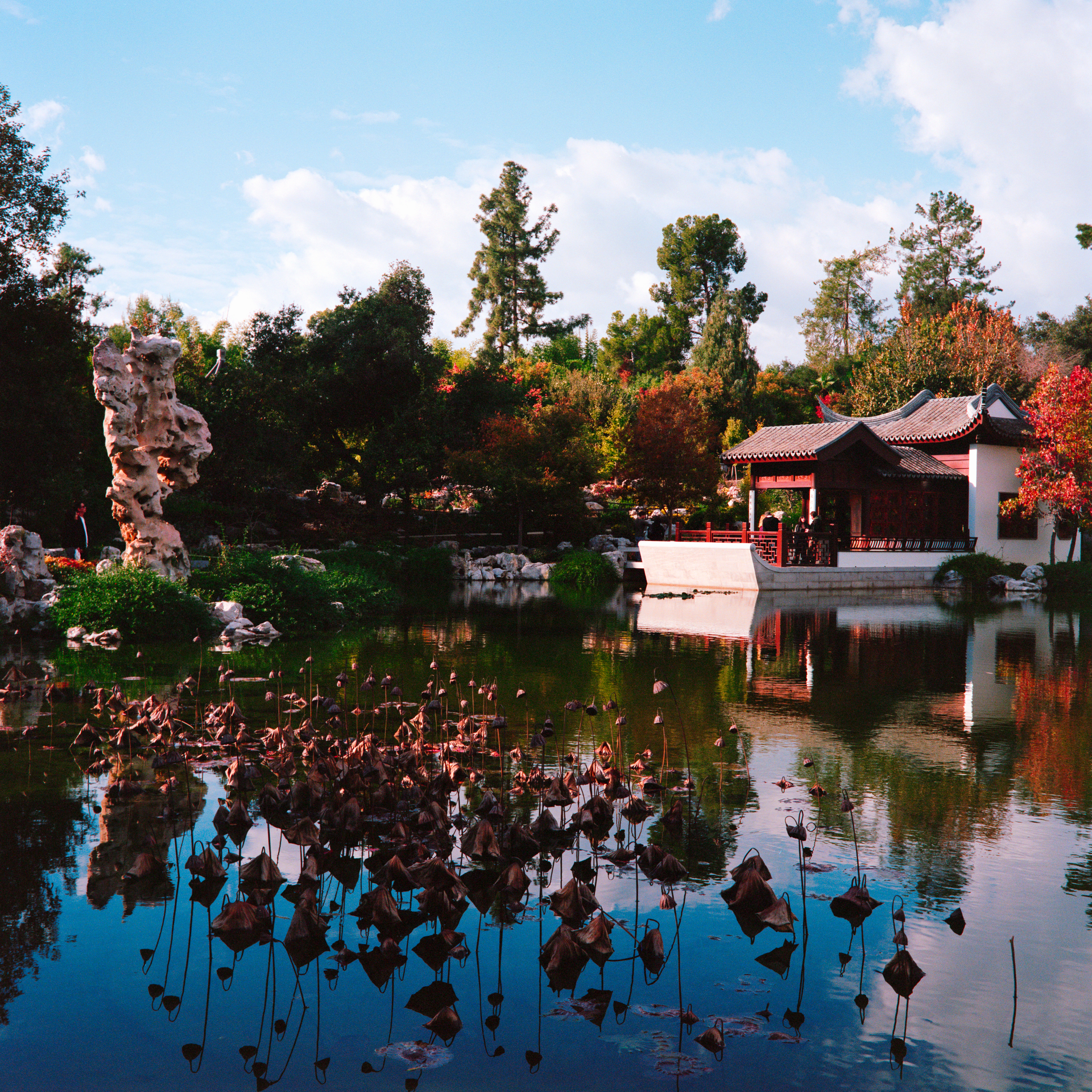
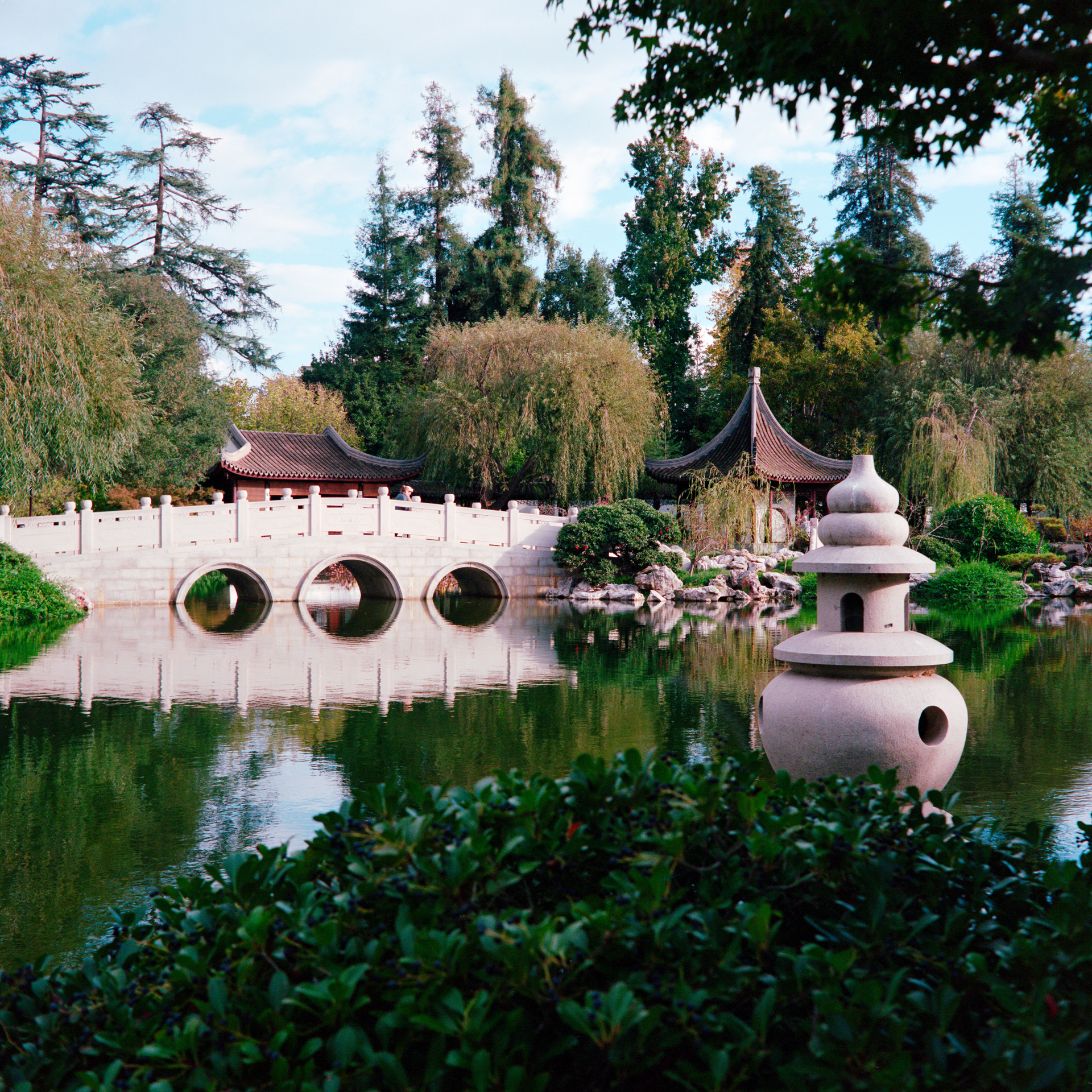
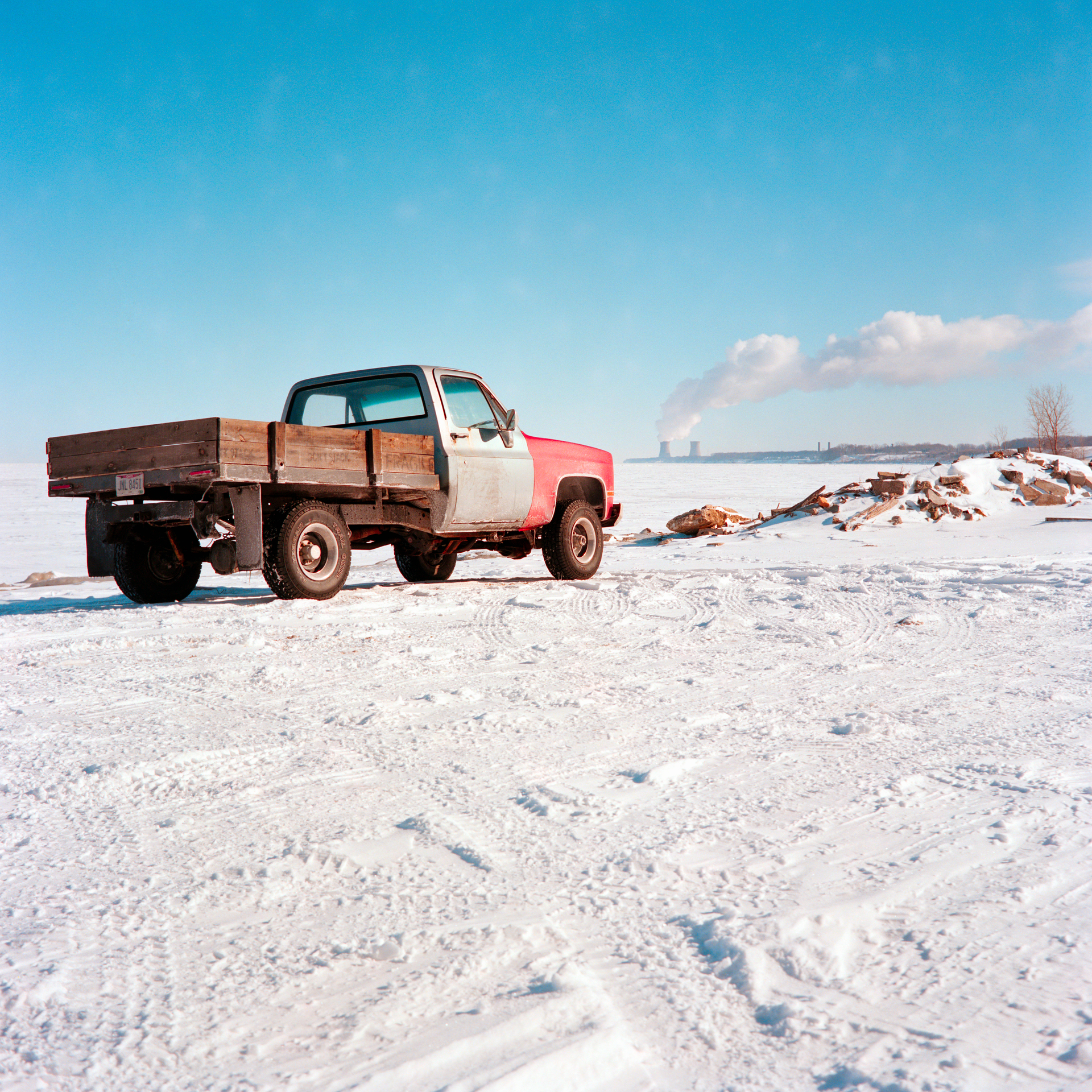
Here are some examples of scans I’ve made using the “Big Scanlight” and NLP. These are straight out of NLP with no color model applied, just some sharpening added and some WB correction in one of the 35mm shots. 6x6 shots were with a Rolleiflex 3.5A and Porta 400, 35mm shots were with an Olympus OM4-Ti and Zuiko 28mm f/2 and Porta 800.
In case you hadn’t seen it Nate did address this topic back in 2021 here:
At that time, and I guess at any time in the intervening period there wasn’t a commercially available RGB light source but possibly this is the first realistic conternder. I like everything I read about this light source. For me, combined with the relatively simple inversion technique it promises to get nearer to the simplicity and consistency of darkroom printing without any invisible background colour processing going on leaving you to work on the inverted image in your own way. That certainly wouldn’t suit everyone though and certainly NLP seems to have done a sterling job here. There’s still the ever present problem with colour negative inversions of demonstrating reliably that one light source might be better than another though given there are so many possible variables. Much easier with positive copies where a colour profile could be determined and compared, though that requires specialised software and a target slide like an IT8.
Thanks for the link, I did come across that thread, and as I you said, at the time there didn’t see to be a commercially available narrowband RGB source. But that seems to be changing, and perhaps I’m wrong, but I suspect as the idea catches on, more people will gravitate toward it and potentially the market will shift further. I’m early on in my experiments with it, but I really thing the results are great, either doing a manual inversion or using NLP. Maybe we will see some further optimization of NLP on future versions as RGB catches on, assuming it is needed at all. I’m sure @nate could speak to that, but I cannot.
Does anyone know how “Sampling Efficiency” and MTF comes into play when doing 4-shot (or more) pixel shift? It seems to me that 4-shot pixel shift (debayering for full RGB) is the ideal way to use a light source like this, but not if the benefits of the RGB color are lost to the downsides of the technology/software/firmware as it is currently implemented by various camera makers.
Aside from that, single shot still seems to have great value, but as you pointed out, there hasnt been a product on the market though it seems people are trying in earnest. I have been wanting to try RGB in single-capture format for quite some time. The color channel bleed with white light is something I have seen enough examples of to at least want to try other things.
Eventually, I would love to do multi-capture of each individual channel like some high end scanners but until someone fully automates it effectively for home use, my volumes are far too high for it to make sense.
No problem! My understanding is that the benefits of debayering using a combined RGB source would be the same as using a white light source, but I’m no expert and perhaps someone else can chime in.
For what it’s worth, the 6x6 shots above were done using 32-frame pixel shift, whereas the two 35mm were single capture.
The creator of the Tone Carrier is working on a fully automated RGB scanning solution with individual RGB frames captured and combined in software. Not sure what the timeline is but it’s pretty intriguing.
Is a tighter RGB spectrum + debayering not more accurate (*) than white light + debayering? Maybe I missed something on that at some point.
*whatever “accurate” means since a lot of it is still interpretation at the end of the day on prints… but I do know I want the best possible data to start with for archival purposes.
Camera scanning is mostly done with cameras that do have som bleed between colours, check out dxomark.com for details. That being the case, the camera’s processing must remove parts of e.g. what is seen by green, because it’s something red etc. with narrowband RGB lights, we see that colours get cleaner, but maybe we’ll miss a few hues because the respective mix of light can’t produce that hue which exists in reality and that is understood via our eyes as composites of the somewhat elaborate chemical and electrical process of seeing colours (and brightness).
Whatever lighting we use, we get starting points for images that we can or can’t tweak to please us, to be “true” (for repro work) or to create our own style. If we can meet our or someone else’s requirements, the whole process (including lighting, conversion, customising etc.) is “good”, no matter what we did or used on the way. If we can’t meet requirements, the process is “bad” and we need to look at all parts of all steps. One of those parts is lighting, but it’s not the only one. And one important component is all but “true”: analog film". So, will we be true to the look of the film we used or should we be true to the scene we captured … under whatever our colour memory did between the capture and the print.
Long story short: Perfecting one link in the chain will simply make all other links weaker. Experimentation is cool (I have a degree in engineering) but not necessarily necessary.
Use what you have and stick to it if it does what you need it to do.
BTW: For cleanest separation of colours, use a monochrome sensor to scan with RGB light. Welcome to Pentax, Leica, Phase One etc.
After recently switching to RGB from 95 CRI I am absolutely blown away by the improvement in tonal range and saturation, particularly in the skin tones. Frankly I’m shocked that I thought some of my previous conversions were deliverable after seeing the back to back difference.
That being said, there is a tendency for NLP to oversaturate certain color channels and make the image difficult to balance. Most often I see a strong magenta bias that needs to be compensated for, which sometimes leaves other parts of the image too green. I can see some similar characteristics in OP’s examples. Skies and foliage can take on a unnatural tone. As is common in poor NLP conversions, this tends to happen when there is an overwhelming amount of a certain color that dominates the image and confuses the software. Here is an example of an image I found hard to process in a way that looked natural.
Skin tones are far better in the RBG scan, but the grass ends up looking slightly nuclear after getting rid of the strong magenta cast from the initial conversion.
I have noticed some slight magenta cast in some of my conversions as well. But still feel the end result beats a white light source, which seems to be missing a lot of color information. It would be nice if future versions of NLP could be optimized for RGB conversion. What light source are you using, @winslow ?
Yes, it would be good to know which light source. I’m not sure that all RGB light sources can be considered as a coherent category as there seems to be quite a lot of differences between them, and also you can usually tune the separate channels, I imagine Nate will need examples of each type or perhaps he will engage with ‘beta testers’.
The new CS-Lite+ Spectracolor seems rather different again.
I am also using Jack’s big scanlight. There was one issue that I ran into that I had never seen before with white light; Vignetting causes a tint shift as well. I am getting varying white balances between the center and corners of the image which needs to be corrected with FFC or a custom radial mask. It creates red flaring in the conversion. I thought it was maybe caused by the lens but I saw similar characteristics when using different glass. Here is an exaggerated example:
Interesting, I haven’t noticed this, I’ll have to investigate. I was getting weird color shifts when using FFC since in Lightroom FFC also does color correction. Changing the color profile of the calibration frame to monochrome fixed the issue such that it only corrects for light falloff.
@winslow I came across your white balance issue while scanning today. Notably, it was the first time I had a negative very close to the Big Scanlight, in a third party Imacon holder. I was trying this to try and work out a different problem and introduced a new one, go figure. But at least in this case, it seems having the negative right up close to the light source results in the white balance issue, so you might try using a carrier that puts a little distance between the negative and the light source.
So seems that if I’m going to use the Imacon holder, I’ll have to make a little distance.
Here is the scan using the Tone Carrier (far from the source)
That’s a great bit of insight. How high did you have to elevate the holder in order to eliminate the vignette? So then it would have to do something with the distance of the focal plane from the light source? I did notice that the vignette intensity changed when the lens was set to varying focus distances but didn’t test it thoroughly.
I have also noticed that not white balancing the negative also helps minimize the vignette issue and gives better colors with more accurate saturation. I believe this has been mentioned before here or elsewhere.
After scanning about 30 rolls with RGB I’m ready to say the results are well worth it. For no foreseeable reason would I return to white light.
Good spot. I also use the Big Scanlight (V2) but never checked for a vignette. Can it be corrected with the same method Valoi posted for the Easy35 here (it made a big difference when I scanned on that)? Calibrating Light Falloff – VALOI
EDIT: posted before reading the replies lol. Maybe I didn’t notice because my light sits relatively far from the negative due to simply plonking the Valoi 360 on top of it after removing the previous light source I was using on that one
If you shoot a blank shot of just the light source, and jack the contrast way up, you will might see a color vignette. I have the Big Scanlight as well, and the pattern seems independent of the distance from the panel. I’m using a Sony with a Sigma 105 Art, and get the pattern whether the film is sitting on the panel or raised pretty far. I’m guessing it may have something to do with sensor edges and rgb light angles.
FFC fixes it, but I find it to be a cumbersome workflow. I wish NLP had its own FFC function (hint hint).