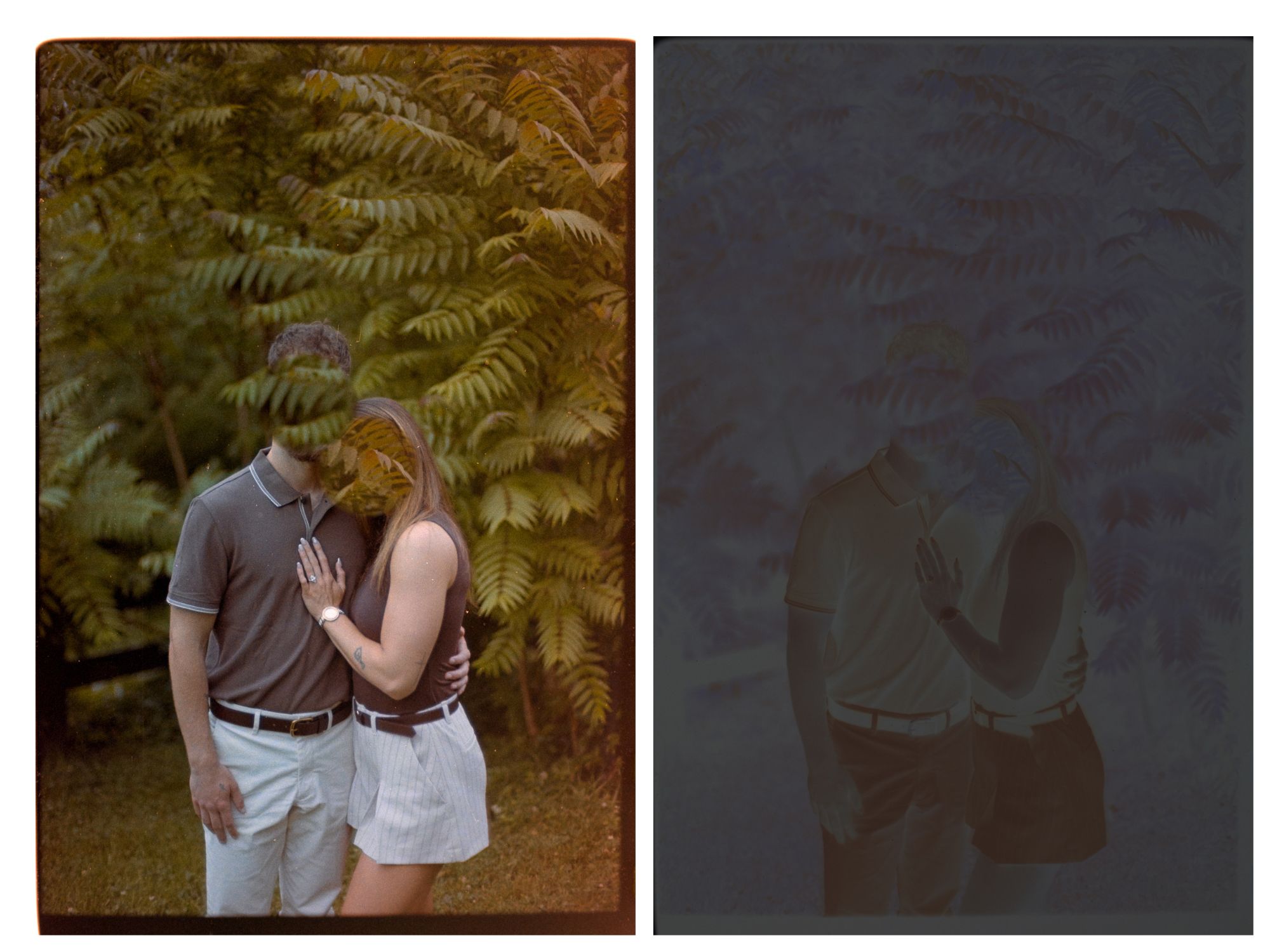
Hello! I haven’t had this much issue with scanning in a while, and I can’t tell what exactly is happening. I’m having an impossible time getting the right white balance and it seems to be varied throughout the image. The orange haze is mostly from the right/bottom of the images, but I scanned some with full border and they came out fine, which makes me think it’s something in conversion? Any ideas would be appreciated!!
Here’s one example. I stamped over their faces for their privacy.
Using V3.1.1
tone carrier pro film carrier
canon r6 with nikkor 55mm 3.5 and negative supply co 4x5 light source mk2
Many similar issues have been presented in the forum and ways to find reasons and fixes should be easy to find. Search the forum for hints.
Moreover, the user guide provides some best practices. E.g. for scanning:
What do you get from your negative scan if you crank up the contrast and exposure in Lightroom? Will you see a difference in the corresponding places?
Is the dark grey negative your actual scan? It looks way too dark to me. Scan your negative with higher exposure. Unexposed parts of the film should be bright, but not clipping. With better exposure, white balance should get easier to get too.
This has the telltale sign of external light leakage onto the right side of the negative. You haven’t told us anything about the set-up you are using to hold and illuminate the negative. That is where the problem may be, especially if this is happening with other negatives as well. You should anyhow scan them with at least one border included, which you can use for setting the WB in Lr. Then crop it out before opening the file in NLP.