MacOS Sequoia 15.6
Lightroom Classic 15.0.1
NLP v3.1.0
Based on the mouseover tool tip, I expect the “Unconvert 1 Photo(s)” on the CONVERT tab will revert the photo back to its negative state, but maintain the EDIT settings that were set at the time of reversion, so that they will be automatically populated if you convert the negative back to a positive image at a later time. This behaviour works as expected.
My understanding of the “Reset 1 Photo(s)” is that it should unconvert the photo back to its negative state and also clear these settings so that you start with a blank slate on the EDIT tab if you reconvert the image at a later time. This does not occur - all settings are maintained. As a result, it seems that “Reset 1 Photo(s)” and “Unconvert 1 Photo(s)” perform the same action.

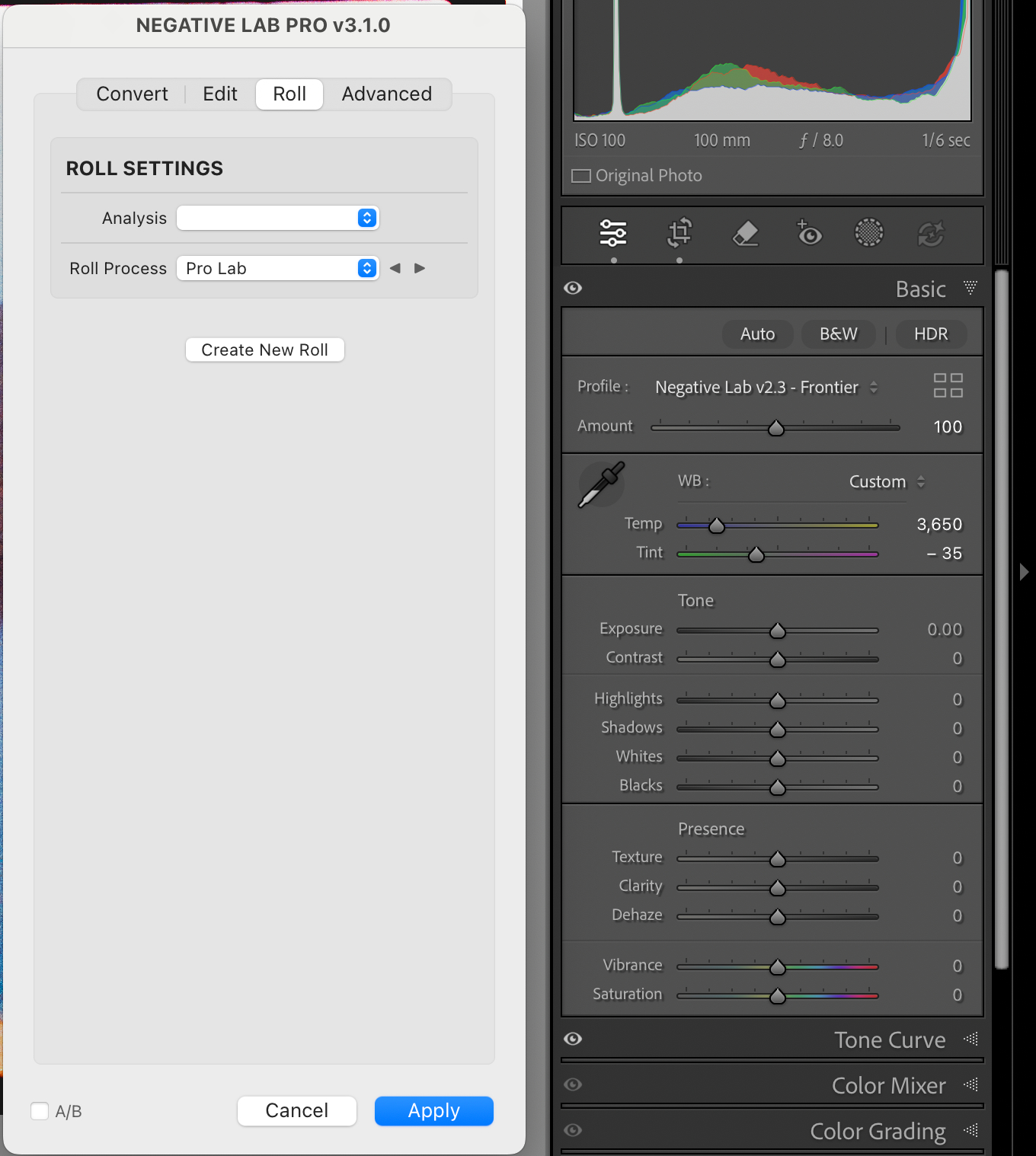
In my experience, this is most problematic in that the Lightroom Profile is not returned to “Adobe Color”, which means that changing the Color Model in the CONVERT tab to “None” retains the previous Color Model, unless one manually resets the Lightroom Profile back to “Adobe Color” before opening NLP. See below that the Lightroom Profile shows “Frontier”, despite the NLP Color Model being set to “None”.

Following the Reset, the Analysis dropdown on ROLL tab is blank and “This image only” needs to be selected or the Auto WB options (Auto AVG, Auto-Mix, Auto-Warm, &c.) will not not work and keep the Temp / Tint sliders at 0.