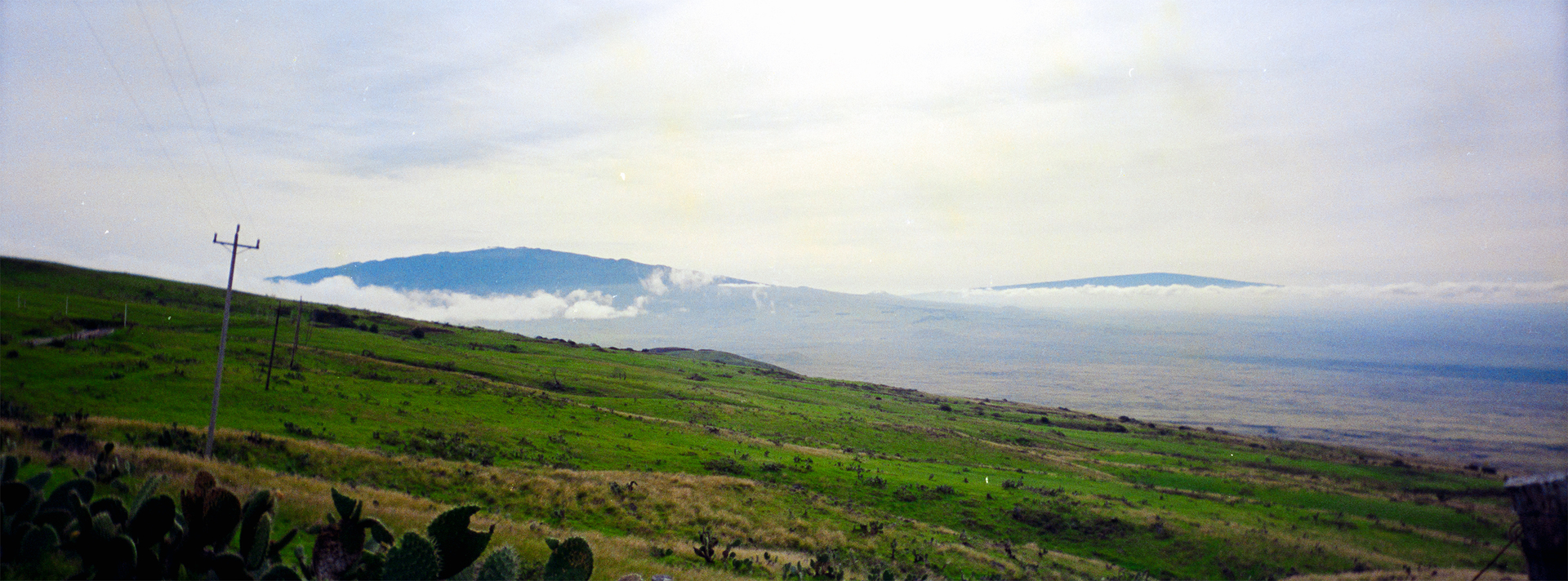
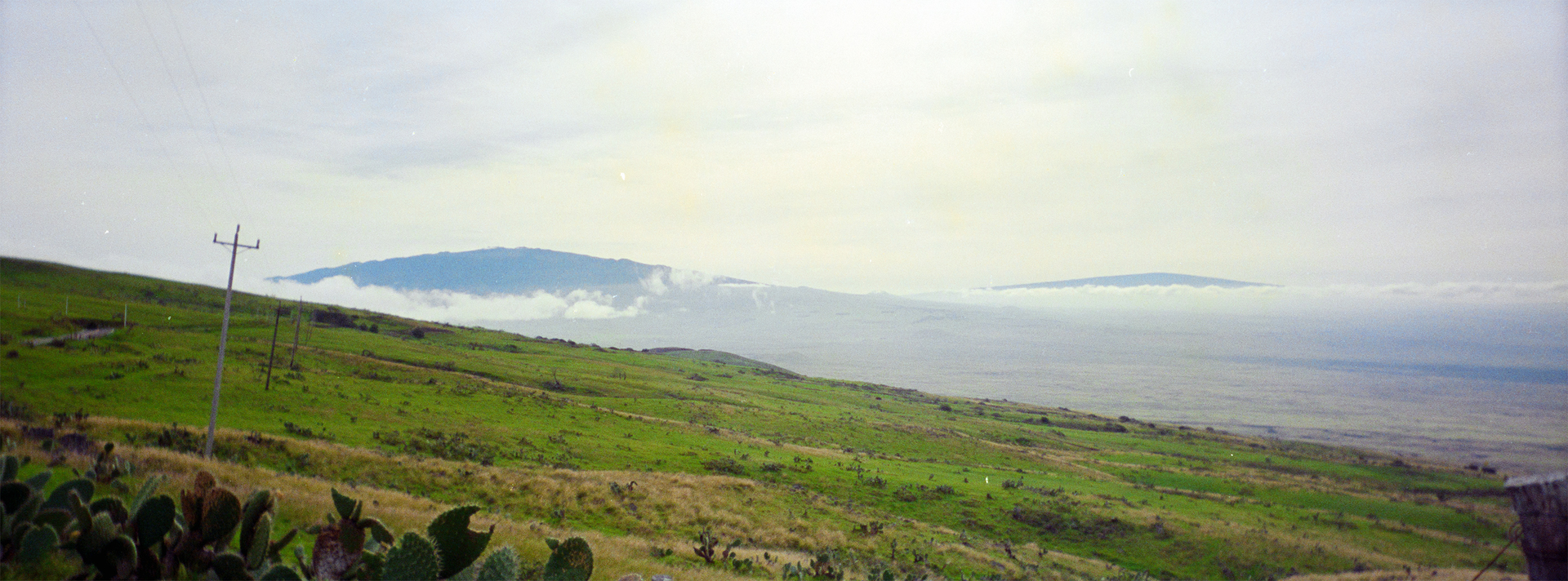
I’m just getting started with NLP, doing a lot of mucking about before I start scanning/converting in earnest. It’s recommended that we white balance based on the edge of the film strip, and then apply the NLP conversion. My initial results were not very encouraging—overly cool colour tones, weirdly oversaturated greens, lacking orange warmth. On a lark I tried converting without applying a white balance first. Voila! Much better! The warmth is back, and overall the colours are richer and more natural.
I realize that negative conversion is essentially highly subjective, so in a sense it doesn’t matter what settings are used as long as the end result “looks good”. Perhaps I’ll find that for other film stocks or rolls, doing a white balance first will yield better looking results. But I have to wonder if anyone else is finding this in their experiences.
For what it’s worth, I’m using the Valoi easy35 set to the coolest color tone, shooting with a Nikon D7200 and a Nikon 60mm 2.8 Macro lens. The film stock in this case is not especially good, it’s from a disposable panoramic camera from the late 80s.
Other than WB vs No WB, the conversion settings were identical, just NLP Standard with no modifications.
Here’s a side-by-side comparison image. You can see (maybe?) the intense but dynamically flat greens on the left, and how much more rich, natural, and continuous the colour tones are on the right.
Ok now I’m lost again. I don’t know what happened between then and now, but I’m trying to reconvert these images, and I’m taking the same DNG and applying the same simple workflow: No pre-WB, NLP Standard settings unmodified. And now they’re coming out much more saturated and with waaay more contrast.
I had actually noticed the negative scan was slightly cropped, so I added one more short tube to the easy35 and reshot the negative, and it was that new scan that converted looking like this. But when I went back to the original scan DNG that got the results above, it still came out looking radically different. I can not think of what is different. The workflow is so very simple. No pre-WB done. Convert using default NLP settings (NLP Standard).
Yes I have reset the conversion before reconverting. Yes it’s the same cropping as before, nothing beyond the frame border showing.
In all my experiments and tidying up, I seem to have lost the copy of the DNG that has the “No WB” look that I was so happy with above. And now I can not recreate it. I’ve tried various settings and they all are much more saturated and contrasty than I was getting before, with the very same source DNG.
Here’s what it looks like now (uncropped). It is obviously much darker. Does anyone have any idea what’s going on?
UPDATE: I seem to have figured it out although the huge difference in results is still surprising to me. It seems that the earlier conversion was done with 0% cropping applied at the conversion point, since I’d already cropped the image entirely within the image bounds. But at some point I switched that to 10% cropping. That 10% crop resulted in the much darker image. I suppose it’s because of the vignetting, with the darker edges shifting the black point and compressing the overall tonal range? The different is still much greater than I would have thought.
Man. Just when I think I’ve got an approach that will get me quickly and easily to within striking distance of my desired result, I get whammied by the complex variability of negative conversion.
So, I’ll just say that with my camera settings and film, it was hard getting conversions right until I began setting the white balance before conversions. Now, it’s just terrific. So much so that I’ve even stopped batch conversions and set the white balance for every individual negative. That’s been most effective for me. Of course, I shoot nearly always 120 film so there are a lot fewer negatives to process.
NLP relies on image content to adjust the tone curves (check them out if you haven’t yet) and work its magic. Therefore, different image content or crops can change results noticeably. White balancing the negative as described in the guide is a standard way to proceed, but occasionally, not white balancing a negative or balancing from within the image lead to results closer to target.
As a rule of thumb, I WB from unexposed film base, use roll analysis (if possible) and crop away overexposed parts (if possible). Roll analysis makes conversions less dependent on individual images and this can be beneficial, but sometimes it’s not. Instead of cropping images, I often set the border buffer to exclude overexposed highlights.
Best practice imo
follow the directions given in the guide
divert from directions if the results of following directions are not what you want
know that all results are a starting point, sometimes close to, sometimes far from target
Well put. I’ve pretty much arrived at the same conclusion. It didn’t help that I was processing terrible quality film from an 80s disposable camera. I tried an even crappier roll of terrible 126 film and through trial and error (mostly resulting in not much other than red/green tones) it ended up getting a surprising amount of full colour range when I put the colour temp to 2000 and tint -100. Those are some wack numbers, but for this film it somehow saved the roll.
But yes, I’ll be starting with the standard flow and deviating as necessary as needed. Thanks for the responses!
So, I’ll just say that with my camera settings and film, it was hard getting conversions right until I began setting the white balance before conversions. Now, it’s just terrific.
How do you mean buddy? Whitebalance on the neg neutral area? I don’t get how youd’d WB a neg until after conversion
Yesterday, I ran a test with old slides (1950s-70s) the worst of which had really strong casts that made them look like magenta monochromes.
I converted one series that was WB’ed before conversion and one that was not WB’ed.
The results of both series looked almost identical and the histograms almost never moved when flipping between images with and without WB.
I also briefly checked the guide, but found no comment on whether to WB slides or not.
All things considered, best practice for negative remains as posted above, for positives, There seems to be no need to WB.
NLP relies on image content to adjust the tone curves (check them out if you haven’t yet) and work its magic. Therefore, different image content or crops can change results noticeably.
Does this mean that adjustments like lens correction (light falloff/vignetting correction) should be done prior to the conversion?
I correct these things before converting - but only rarely.
Macro lenses tend to be fairly good - and some lens falloff can occasionally compensate the falloff of the lens that was used to capture the original scene. Analog photography had, and still has, characteristic properties that I find can be left uncompensated.
Whether to correct the scanning lens flaws or not is a matter of taste imo. If you need technical perfection, skip the analog stage, if you work with old files, preserve the “character” and skip corrections. YMMV.